


One of the unique features of WebTextEditor's toolbar is its ability to detect whether or not the container size is sufficient to display all its commands. When the container size is not sufficient, it can adjust itself to hide the possible commands and placed the hidden commands in MoreMenu container. When the browser is resized and the container size is enlarged, it will detect that more area is now available and show the hidden commands.
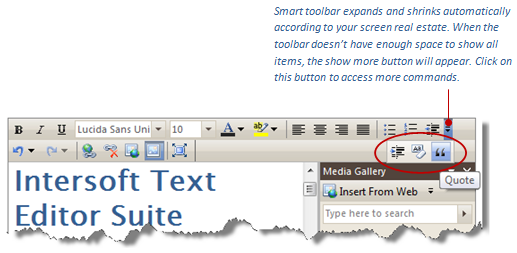
In WebTextEditor, multiple toolbars can be added to main toolbar area. In Standard toolbar mode, Formatting and Standard toolbars are added to header area of WebTextEditor. With its fluid behavior, toolbar is able to detect whether or not its container can display multiple toolbars in a row. If the container size is not sufficient to display multiple toolbars in a row, it will be shifted to the next row, and so on.

When the container is enlarged to a sufficient size, toolbar will automatically adjust itself and multiple toolbars will be displayed in a row.
